
Seven circuits. A heart turned to Allah.
Begin opposite the Black Stone and complete seven circuits with the Kaaba on your left.
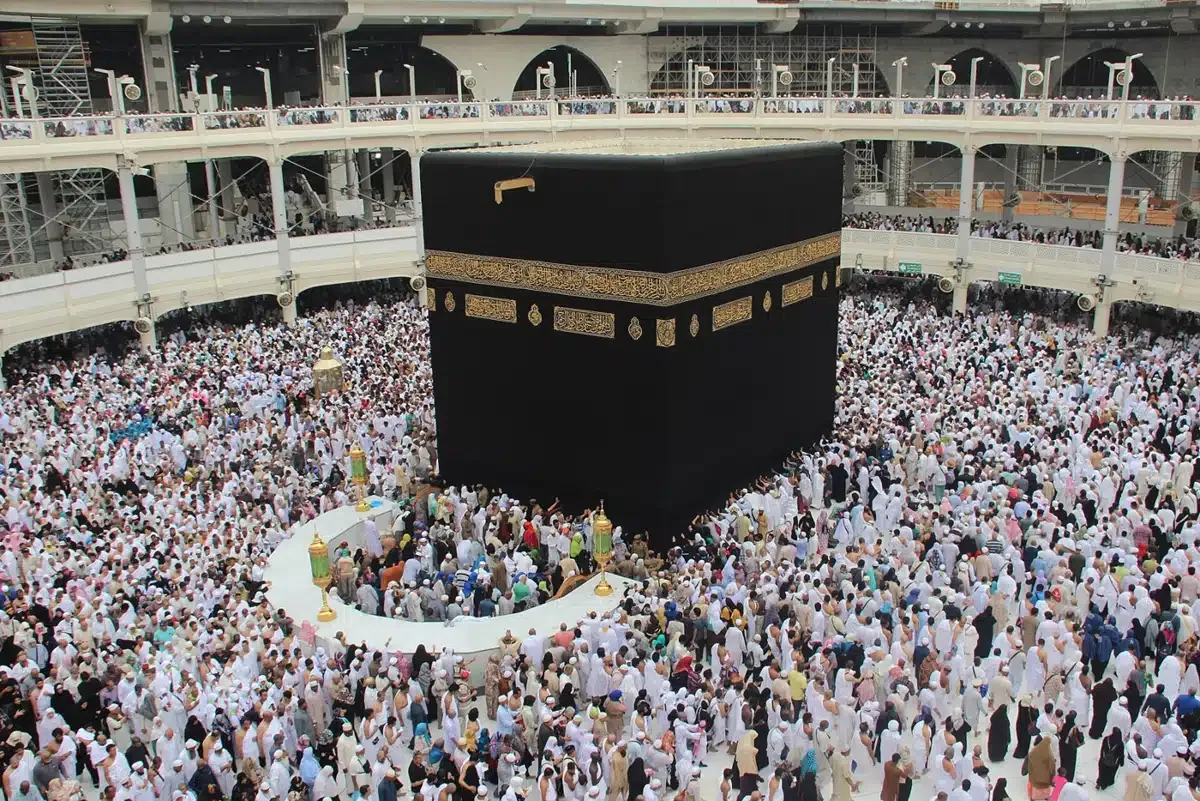 Qafila guide · pages 30–37
Prepare, then begin opposite the Black Stone
Perform Tawaf with wudu, cleanliness, and the ‘awrah covered. Keep the Kaaba on your left and walk outside the Hijr. Returning to the starting alignment completes one circuit.
Complete all seven circuits
At the Black Stone, do not push or harm others. If you cannot touch it safely, point with the right hand and say “Allahu akbar.” At the Yemeni Corner, touch it if possible; otherwise continue without pointing.
Keep your attention on remembrance and du‘a
Between the Yemeni Corner and the Black Stone, use the supplication below. Elsewhere, recite Quran, remember Allah, and make du‘a for yourself and others in a language you know.
Tawaf
Count only after completing each circuit or one-way journey.
Saved on this deviceKeep the Kaaba on your left. Begin and end opposite the Black Stone.
Read. Understand. Remember.
Between the Yemeni Corner and the Black Stone
رَبَّنَا آتِنَا فِي الدُّنْيَا حَسَنَةً وَفِي الْآخِرَةِ حَسَنَةً وَقِنَا عَذَابَ النَّارِ
Our Lord, grant us good in this world and good in the Hereafter, and protect us from the punishment of the Fire.
Show reading help
Rabbana atina fi-d-dunya hasanatan, wa fi-l-akhirati hasanatan, wa qina ‘adhaba-n-nar.
Quran 2:201; Abu Dawud 1892, as cited in the guide. Guide p. 34
Qafila Umrah Guide, pages 30–37.
Ready for the next step?
Mark this lesson as read to keep your place.